Part 8 – I’m Able-To!(n)
Ableton Week!!! This week I got to spend most of my day making music in Ableton Live, a super awesome program (which has a 3-month free trial at the moment !!!) to make music like professional musicians (such as aussie band like Rufus Du Sol).
SOUNDTRAP
To begin, lets look at mixing in SoundTrap, an online interface for students to use to upload recordings of themselves, as well as to compose in a more modern and contemporary looking design version of GarageBand, being a much easier resource to use for younger students.
Below I have a remix I made combining two portions of music I was supplied by my lecturer James Humberstone. WE were provided with a collection of these sounds which we then were tasked to mix with one another. Below I blended Billie Eilish’s ‘Bad Guy’ bass line into Taylor Swift’s ‘Calm Down’ beat to experiment with how to achieve this in SoundTrap
TogsTips
Although this is an extremely difficult thing to do, it can be achieved by:
- finding the exact tempo of a song online and changing the tempo in SoundTrap (at the bottom of the screen)
- Then you input the recording of the song that you have.
- From there you can move onto the second recording which you do the same process
- Continue this until you have a couple songs that easily blend with one another
ABLETON
From here I was tasked with moving onto using Ableton to make a song. This whole site is extremely intimidating due to the different layout of the entire screen:
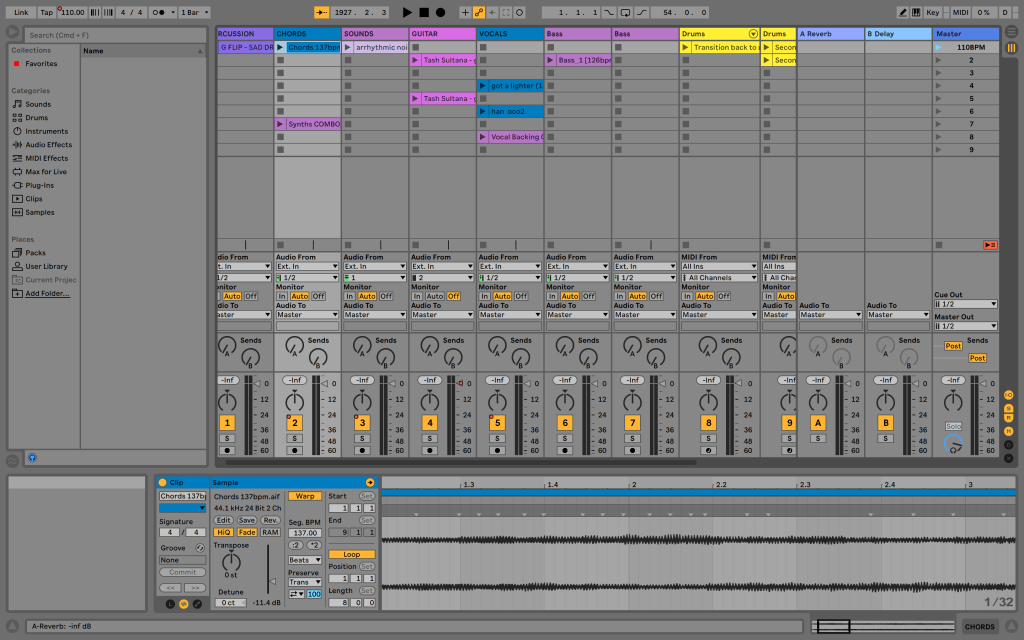
It took me quite a while to grasp an understanding of how this works but I’m enjoying so far how to make music in it. Later this week I hope to put up a TogsTest to show you the groovy song I’m working on! Stay tuned!!!
 Mitchell's Tech in Music Blog