TogsTalks

Part 14 – A Well Deserved Break

Hello and welcome back everybody, I hope you’ve all had a wonderful time over the last while and that you’ve enjoyed a few of these blogs that I’ve produced for you all! I’ve had a really enjoyable time this semester and I’m SUPER glad you’ve decided to be here for it. This is a special ‘TogsTalks’ episode where I’ll be reflecting on some of the things I’ve learnt and sharing some thoughts about the presentation evening, where I’m at with my video game, as well as discussing with you where I am with utilising technology in my own music teaching.

THE CLASSES

Over the semester we’ve had the opportunity to practice tons of different musical composition variations, from SoundTrap, GarageBand, Reaper, Sonic Pi, Ableton to various standard compositional softwares such as Sibelius, Musescore and Noteflight. Further, I’ve had the opportunity to learn new programs such as Premier Pro, Musition and Auralia and my own assignment where I learn to code in Unity with C#. All these various ways of using music in a classroom was extremely enlightening and taught me so much about heaps of different parts of music and the way it operates.

I similarly loved the opportunities I had to meet and learn from such talented people like Phil in the maker space week, Rowena in the coding week and Ethan Hein in the final week of semester, not to mention the person that’s carried me all the way through, James Humberstone. These people have taught me so much this semester and made this time trapped in my study at home in lockdown SO MUCH MORE engaging and interesting. I’ve had a really enjoyable time with my experimentation of these programs and I’m ready to spend the next three months seeing what I can do with them all.

PRESENTATION EVENING

Next I’d like to spend a minute talking about the presentation evening. This was epic. So many of my peers have produced such creative and exciting projects and I would highly encourage you to explore this page in James Humberstone’s blog. This page has blogs of my peers and shares the projects they’ve all individually created. It was a pleasure to be able to watch all of these people share their projects with the world and inspire me to take my teaching in so many ways.

In regards to my own project however, I am extremely happy with how my presentation went. I feel like I was able to show off how this game worked and the process I’ve taken to get to the stage that I’m at. It also helped to point me in the direction that I’d like to take this game. Theres so many ways I can develop it and expand it and simultaneously improve my own skills.

  1. I’d like to create a small village for the player to start in. I think it would be a fun little game if the player was able to walk through from a town, into a forest and be confronted with the epic castle
  2. I would like to learn how to program NPC’s (non-playable characters) who can help guide the player on their way. This would also allow me to have an actual ‘Music Mage’ to fight once they reached the end of the game
  3. One person on the evening inspired the idea that perhaps I should try incorporate timed levels, have some stages where they have to identify something in a certain time or they lose a life, to help add a competitive aspect between students
  4. I’d also like to learn how to create ‘assets’ which are like the walls of the castle, or the trees etc. These seem super complex to make but I feel that for the game to run more smoothly, it would need better parts and I think I’d be quite proud to present a house which I designed and constructed entirely myself

FINAL WORDS

James asked a great question after my presentation. And I’ve been thinking about it for the last two days:

“How can these skills I’ve developed be used in the classroom?”

And I’ve been stumped. I cannot entirely understand why I feel that coding a game is a useful ‘skill to have for the classroom,’ but I don’t believe it’s a useless one. This is because I think it has the chance to be useful. This kind of knowledge helps to teach students if you’d like to engage in a Project Based learning task with the IT faculty, or provide cross curricular links with another subject. Further, by creating games now, and knowing how to do it, I can easily produce content to pass onto students in the future. This game that I’m creating is aimed towards the students that struggle to focus, or don’t quite understand music. The ones that with a little bit of extra help or guidance could become inspired! One of the things semester has taught me is that people learn in their own way. Some of my peers struggled with Ableton or Sonic Pi while I excelled, however I couldn’t get motivated behind some more of the theory based classes where my peers couldn’t be more engaged. In a classroom, I don’t believe these skills are always the most applicable, but being a Jack of All Trades for your students is important, because they can all be so different.

I’ll be posting an update later as to how to access the game once I’ve finished it. I hope you’ve enjoyed this journey and I hope to be back soon to keep TogsTech alive!
TogsTech

Part 13.5 – An Evening of Ideas and Inventions

Welcome back to anther Part.5 series where I run you through the video game I have been making. This post is going to be relatively short as I have to go and present shortly but I wanted to show you a play through of my video game! Its finally come together (after hours upon hours of maintenance, troubleshooting problems and trawling the internet to find which of the 5 billion solutions on google will ACTUALLY work …) But before I discuss it all, treat yourself to a short video of me playing through the game created so far:

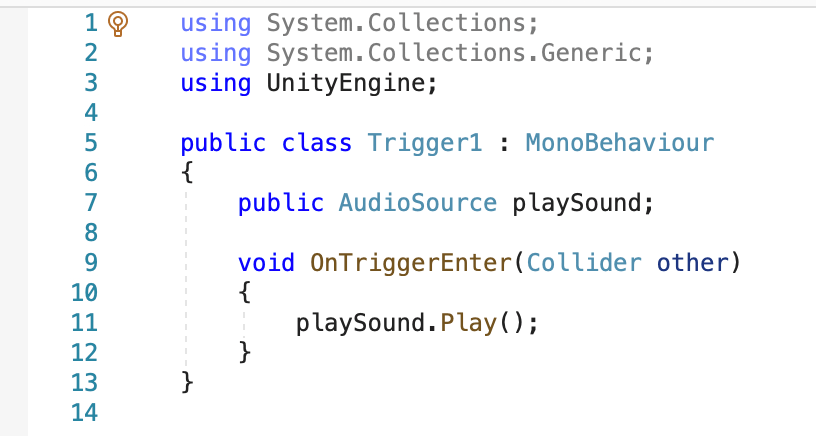
Now as I made this game I cam across a couple of small complications. The main one I’d like to talk about however is the audio files and trying to get them to play. One of the greatest frustrations about using software such as this is that it’s constantly updating, quickly outdating the things that have been written even a year ago. This drove me a little bit mad as I had to go through heaps and heaps of sites and scour through videos to try find a piece of code that ACTUALLY worked, as mine kept coming up with heaps of issues and errors, never playing the audio. I have a screenshot the the final code I ended up using below just in case any body else ends up having the same issue that I had failing to get sound to play:

I know this looks simple, but I went through about 10 different variations on this and had 0 success

On a more positive note however, the pure euphoria and joy you have when after hours IT WORKS, is honestly one of the GREATEST feelings ever. I went through so many ups and downs over the last week or so trying to get this to work but the happiness when it comes together is totally worth it.

Well that is all for me for now – unfortunately I have to go and present this game but you’ll be hearing from me shortly! See you next time!

TogsTech

Part 12.5 – The Sound That Stands Between Us

Welcome Everyone to another Part.5 update on my groovy little music project and how it’s coming along. I have both good and not so good news …

GOOD NEWS

I’ve spent HOURS learning the basic of 3D mechanics and world building to create a GLORIOUS attempt at a Castle. The video below is a short glimpse of what I’ve created so far and how it’s been coming along. Fortunately I know and understand most of what I’m doing although I’ve had to pivot my idea.

I originally spoke to you about making a chess game, and when it came to it, I decided to make that a long term goal and for the time being just create a product which can help me to get to that point. Ive decided I’m going to create a game aimed towards instrumental students as a form of ‘fun homework task’. To do this this I wanted to use audio identification software to pick up a frequency to activate another element of the game. For example – a student is asked to play ‘C’ on their instruments, the game would then pick up the note played and open a door for the student to walk through.

BAD NEWS

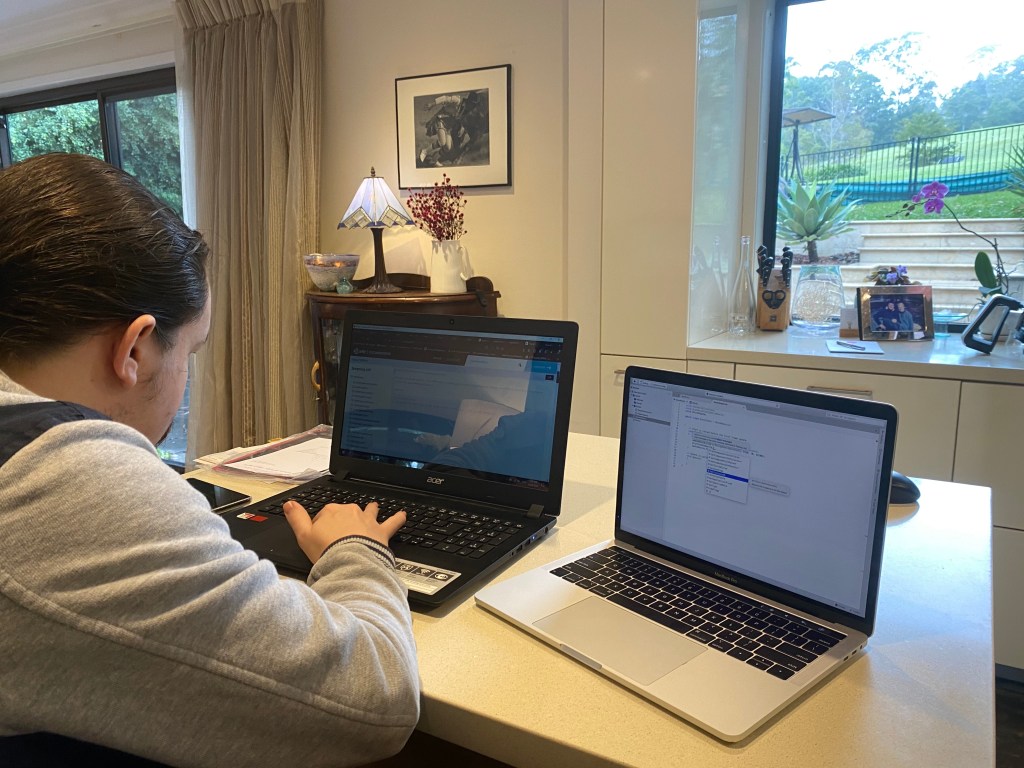
Will and I working on how to make it work

I have spent HOURS UPON HOURS trying to write/find code to make this happen. I even had to invite my cousin Will who has a degree in Software Engineering to come and help me and we were still unsuccessful. After hours of time I resigned to the fact that this would not work and with just over a week left before I had to PRESENT it, I nearly died.

However I have spoken to James since and you still have a video game coming up! I think I’ll approach it by inputting audio files into the game and having a kind of interactive ‘musical problem solving’ kind of vibe to it. I’ll have post next week (hopefully) about how it’s coming along right before the presentation evening and I hope you’re all keen to check it out!

TogsTech

Part 11.5 – We’re going somewhere!!!

Welcome back to a tech project update. Firstly I’d like to mention that the previous post was actually the last week of our semester so I’m going to have to take a pause on the main posts for a while HOWEVER I still have this project to go. I’m going to keep up the Part.5 style so this is just a small message to let you know that if you’re struggling to find a main-line blog, theres a chance it isn’t there.

I’VE LEARNT TO CODE!

I’d like to start this week by showing off this game that I’ve made. I didn’t make it entirely myself, I followed a set of tutorial videos made by ‘Brackeys’ on Youtube to learn how to do it. In the following game you’ll see that the goal of the game is to move the yellow block from one end of the level to the other while avoiding the small red boxes in the path:

This process took QUITE A BIT of time … HOWEVER I feel like I’m starting to grasp how this is achieved and think I’m almost ready to tackle the game making elements. Hopefully it all comes together relatively well by the end.

I TRIED TO COMPOSE TOO!

Spitfire Audio (@SpitfireAudio) | Twitter

So I also wanted to spend a quick moment sharing this little thing IO made. It was for another class at uni (also run by James …) where we were experimenting with ‘Project Based Learning’. We were tasked with the challenge of using ‘Spitfire Audio’ to compose music to a chase scene from the Season 3 final of Westworld for a global competition . Now I’m not a massive composer but I’m a MASSIVE fan of film music and I absolutely LOVED this task. Hence why I’d like to share it with you all! Enjoy 🙂

TogsTips

Part 11 – The Tech Genius Speaks

Welcome Back All – This week we were fortunate enough to have Ethan Hein, a New York based Doctoral Fellow in Music Education at New York University, come (over zoom of course …) and speak to us about his expertise in using Ableton Live.

ABLETON LIVE ROUND TWO

Vocoder

Ethan spent some time showing us a few groovy skills like how to use a vocoder in the program. He compared it to the sound of Imogen Heap in her song ‘Hide and Seek’ (below). This makes the sound much more techno sounding and super effectively creates a new sense of genre to the music. To make this more clear, robot characters such as R2D2 and C3PO from the Star Wars Trilogies, and Wall-E and Eve from Disney’s Wall-E are all prime examples of a vocoder in use.

To find this feature, it’s located under ‘Audio Effects’ and is only found in the Suite version of the program. Further, the only way to get good at this is to experiment with it yourself. Unfortunately I haven’t had the time to do that yet but when I do, I’ll be sure to let you know how its done!

Warping:

Ethan then spoke to us for a while about warping and a bit of its history. Due to older recording formats not being as technologically advanced, pitch would bend when you would want to change the tempo of a song. This is really useful for when you want to play more buzzy, “nightmarish” music.

Transience

Transience is where the sounds are identified by the program, so if you decided to slow down an audio sample, it would guess what was between the sound files that you’ve stretched apart and fill the gap inbetween. Ethan spoke why this is necessary, highlighting that there should be ‘no digital black,’ or a period in the song where there is no file playing.

Beat Repeat

Beat repeat is used to fill the space between notes. It randomly adds beats to entend the music a bit. You can make adjustments to rhythms so an element of performance is included into the piece (for example making sure the sounds don’t occur faster than physically possible for a human to play), and allows you to extend your song somewhat.

Simpler vs Sampler

  • Simpler allows you to change the pitches of a recording and take small bits of it to play over at different pitches. Easy system to use but can be difficult to make sound good and sophisticated
  • Sampler is much more complex and has many more functions and restrictions but can be much more difficult

DAWS

Most DAWS such as GarageBand are often based off of tape recorder systems, with things to pull up and down and twist around to change sounds and their tecxtures however companies like Ableton have taken the next step. They’ve based Ableton off of an Excel Spreadsheet (possibly why I was so intimidated when I first was confronted by it …) Further, I’ve attached this vide to show you how something like this can be achieved in an ACTUAL excel spreadsheet.

TogsTeach

Another useful app I learnt through learning from Ethan was ThumbJam. This can be really useful as you can set everyones iPad to certain notes for when you want to learn about certain scales and musical featuires. Further, you can specialise keyboards for different students, for example if you have a disabled student or a student falling behind, you can disable certain notes so that they can ensure they’ll always sound good!

TogsTech

Part 10.5? – The PROJECT BEGINS

Welcome to the Part.5 series of my blogs where I work on my project. At Uni, each of my classmates and I have been tasked with the job of creating a project of some kind that incorporates both musical and technological elements. Many of my peers are tackling song making or book making but I think i want to go down this route, the coding route:

Remember this for WEEKS ago? Well originally this was a joke, but was it I could make this meme of a game a reality? What if I could somehow manage to learn to code, and CREATE A GAME that takes audio input to move the chess pieces? May be a bit ambitious, but I think it’s time to start diving in and seeing what I can do.

I think that my first steps are going to be to download Unity and learn to code (I’ve never done this ever before in my LIFE) and from there we will see where we go.

TogsTech

Part 10 – The Ease of a Musicians Mind

Welcome to the TENTH blog back!!!! This week James Humberstone spoke to use about a series of wellbeing bits and pieces this week, discussing how to keep on top of our lives.

TogsTips

Did you know a study was taken of a group of people in a workplace. One group were asked to leave their emails on while they worked, while the other group were asked to close it and mute it. These were the results:

  • The people that left their emails on during work had a higher state of alert and also shared a higher resting heart rate while working
  • The people who had their emails turned off found that they had fewer stressful and time-wasting situations happen also.
  • Finally, after 5 days, participants showed to have more natural heart rates after cutting off email

TogsTeach

We are much more available to our students and their parents than many people have been in the past. Communication between teachers and parents was more difficult years ago; the standard process was:

  • Parent would communicate to the Music secretary
  • They would then take/leave a message to pass onto you
  • When you had time you would call back or physically write back a letter/note to the family

Now however the process is a bit different:

  • Apps have been created which can follow the work of student
  • Emailing is a crucial method of contact between student and teacher
  • Teacher even encourage direct parent communication

GETTING THINGS DONE

A process of work which is awesome to help guide an individual to get some work done:

This process to me makes TONS of sense and although it may be hard to engage with immediately, I think over time I’m going to aim to engage in this style of workflow.

TogsTech

Part 9:

Hear the music, see the music, sing the music!

Welcome back to everybody and welcome all the newcomers. This week’s blog is about using the programs Auralia and Musition from the maker himself Peter Lee who talked us through how to use these programs, along with guiding us through a few of the cool functions they hold.

AURALIA

Auralia is a super awesome program that has tons (over 100 in fact!) of different interval and aural training exercise to help provide your students the opportunity to undertake and refine their skills. Many different courses experimenting in jazz music, band music and more to help get students to engage with music and develop their musical analysis skills

MUSITION

Musition is a software that interacts with Auralia which allows you to incorporate music theory aspects into your lessons. It has super epic functions that allow you to create you own syllabus, make tests and worksheets to assign to your students (as well as weighting the questions to balance the marking) and provides you the opportunity to mix and match customised content with the built in content it already provides.

Furthermore, you’re able to spend some time breaking down different types of pre-created syllabi made by the company so that you can be in control of exactly what you provide your students. You can also send out weekly homework tasks for them to complete without you needing to worry about writing out and physically making exams.

TOGSTEACH

This seems like an EXTREMELY useful tool for teaching students basic aural skills so they are prepared for HSC. I personally feel like I would have benefited from using this in my own schooling career. Definitely something to check out if you’re already a teacher, I sure will be when I get out there into the world and start working!

TogsTest

Ableton Round 2? Here’s my song that I made from a remix from a series of different Triple J sound files. A competition running at the moment encourages you to produce a remix using bits of songs from famous Australian artists such as the Jungle Giants, Amy Shark, Flume, Tame Impala and more! You may recognise a few of these throughout this slightly more, ‘chill vibe’ song I’ve created for you to listen to. I hope you enjoy:

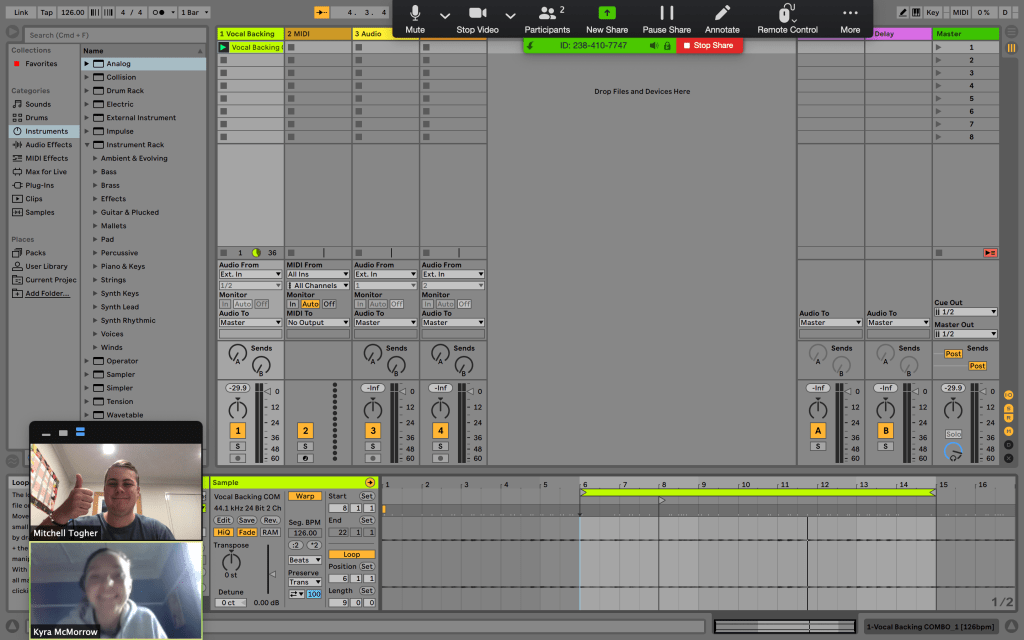
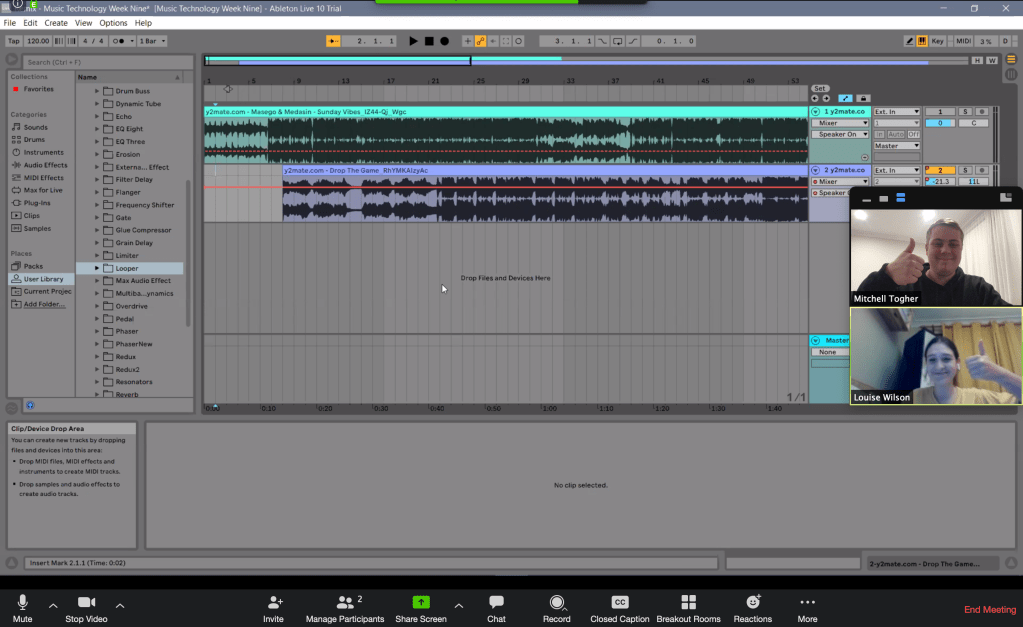
I also learnt so much this week I was able to spend some time helping my friends Kyra McMorrow (https://mcmorrowkyra.wixsite.com/website) and Louise Wilson (https://m1d1d00rs.tumblr.com/) to deal with some trouble shooting and music problems they’ve both had. To hear some more of that and hear the song that they made, check out their sites!

Kyra McMorrow and i working on her song
Louise Wilson and I working on her song

TogsTech

Part 8 – I’m Able-To!(n)

Ableton Week!!! This week I got to spend most of my day making music in Ableton Live, a super awesome program (which has a 3-month free trial at the moment !!!) to make music like professional musicians (such as aussie band like Rufus Du Sol).

SOUNDTRAP

To begin, lets look at mixing in SoundTrap, an online interface for students to use to upload recordings of themselves, as well as to compose in a more modern and contemporary looking design version of GarageBand, being a much easier resource to use for younger students.

Below I have a remix I made combining two portions of music I was supplied by my lecturer James Humberstone. WE were provided with a collection of these sounds which we then were tasked to mix with one another. Below I blended Billie Eilish’s ‘Bad Guy’ bass line into Taylor Swift’s ‘Calm Down’ beat to experiment with how to achieve this in SoundTrap

TogsTips

Although this is an extremely difficult thing to do, it can be achieved by:

  1. finding the exact tempo of a song online and changing the tempo in SoundTrap (at the bottom of the screen)
  2. Then you input the recording of the song that you have.
  3. From there you can move onto the second recording which you do the same process
  4. Continue this until you have a couple songs that easily blend with one another

ABLETON

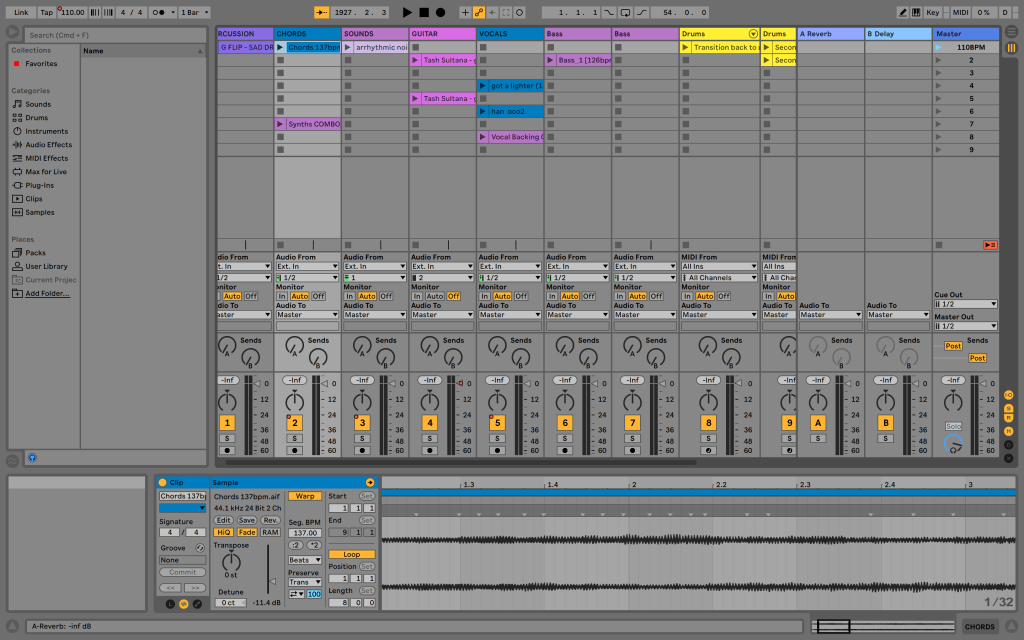
From here I was tasked with moving onto using Ableton to make a song. This whole site is extremely intimidating due to the different layout of the entire screen:

It took me quite a while to grasp an understanding of how this works but I’m enjoying so far how to make music in it. Later this week I hope to put up a TogsTest to show you the groovy song I’m working on! Stay tuned!!!

Design a site like this with WordPress.com
Get started